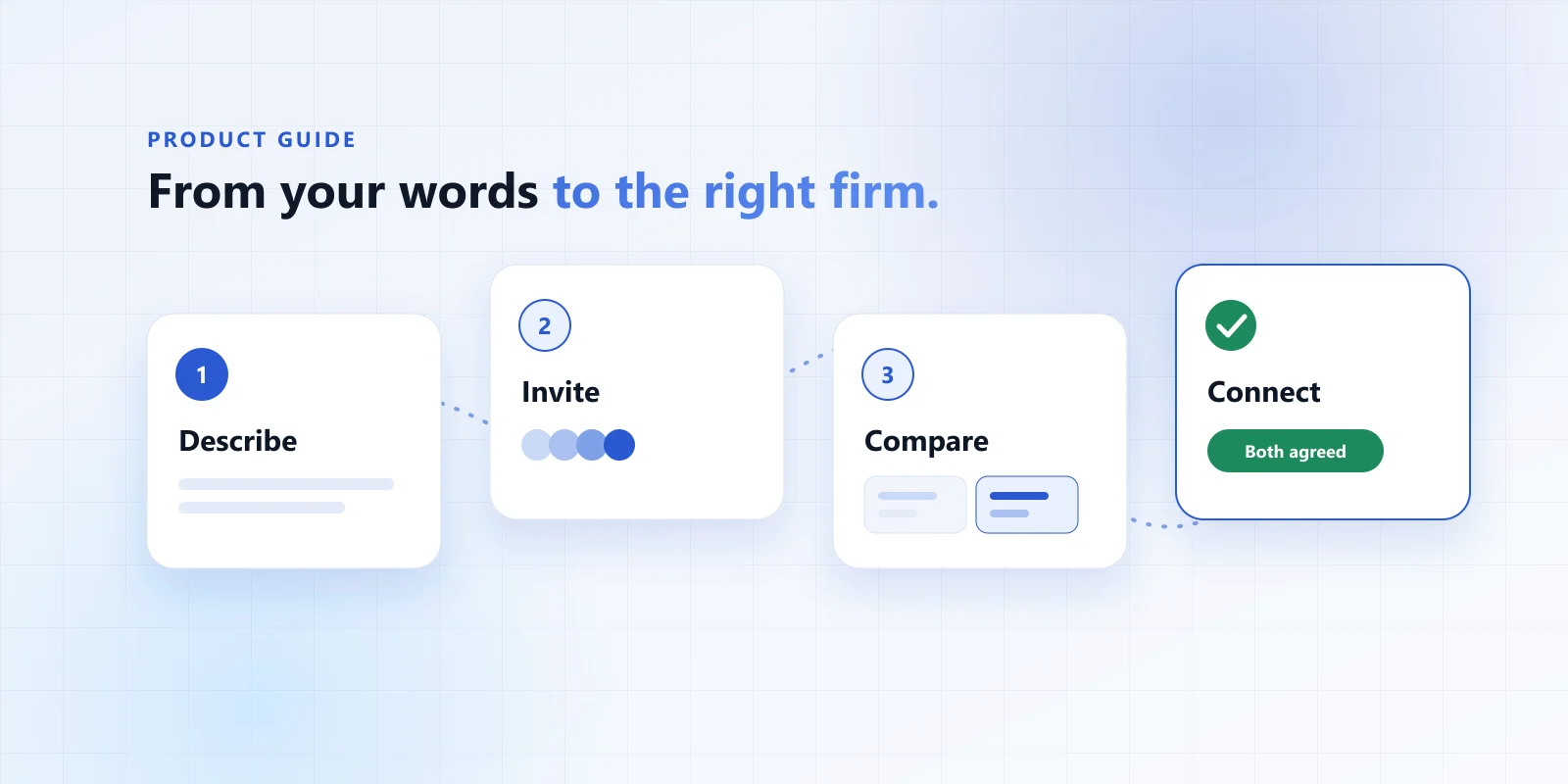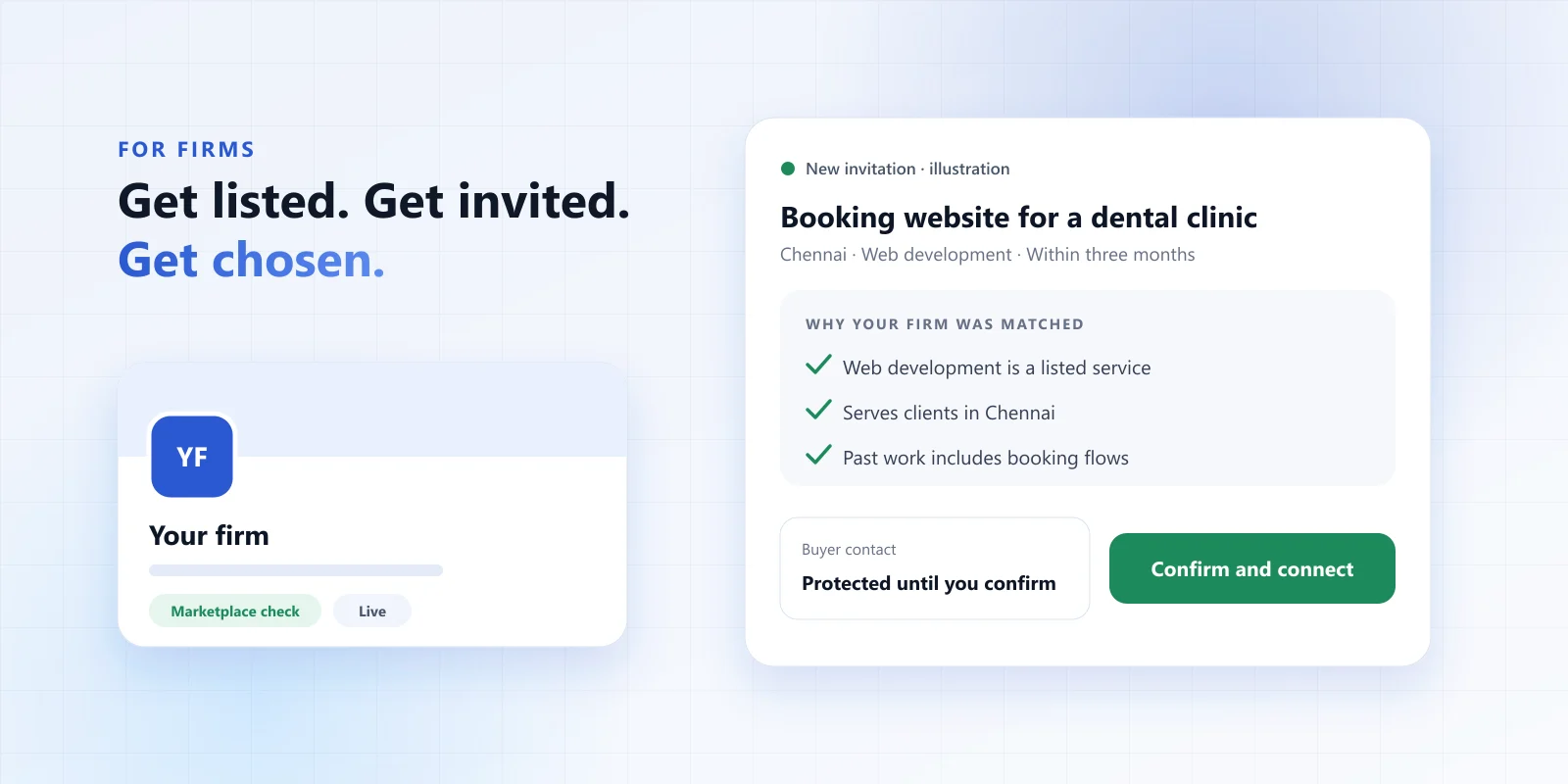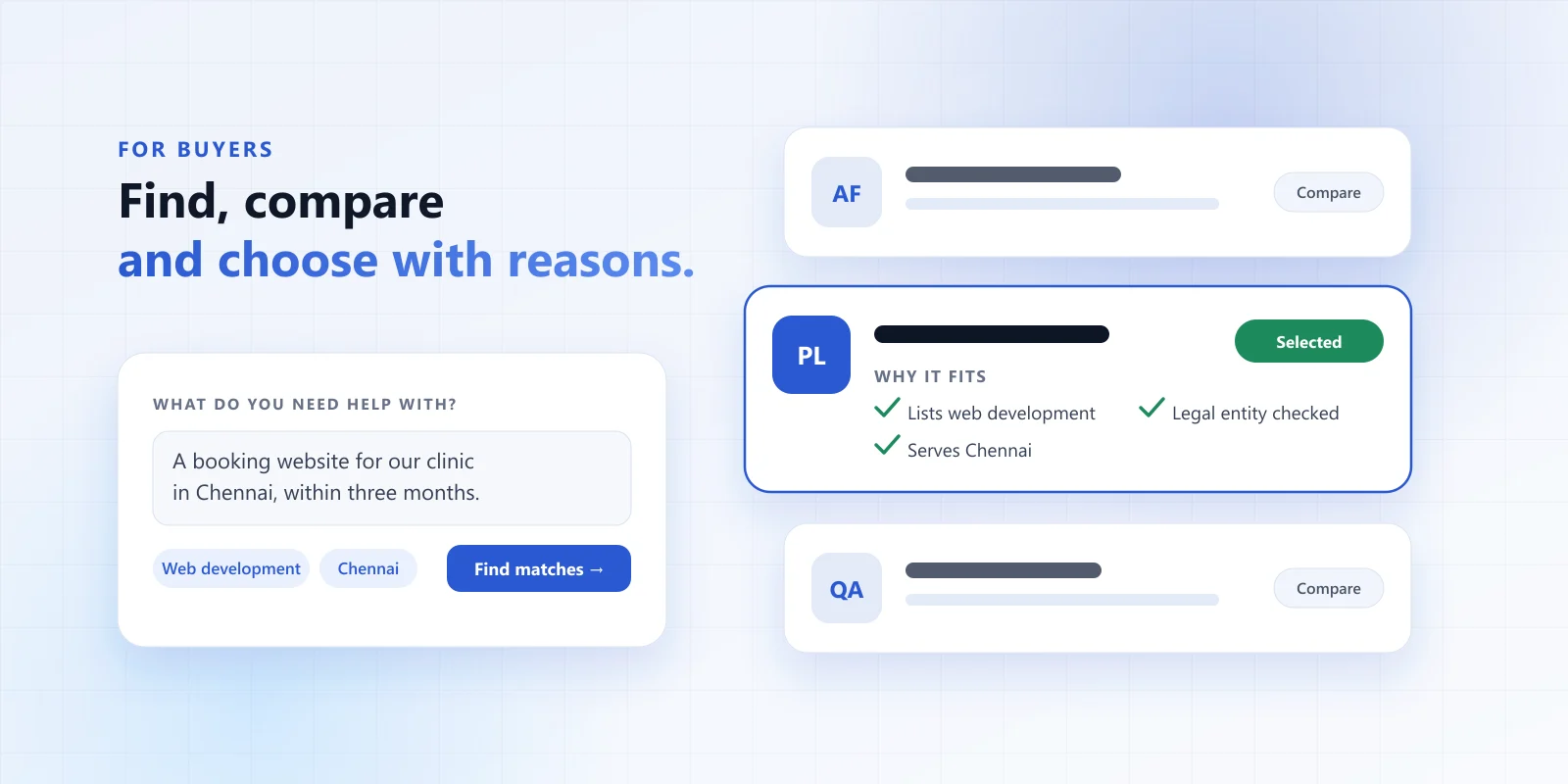
Choosing a firm is a small decision with a long tail. Pick well and the work moves; pick badly and you lose weeks. This guide shows how to use Firmaze to make a choice you can explain — to your partner, your finance team or yourself in six months.
Before you start
You do not need much. It helps to have rough answers to these, but “not sure” is a perfectly good answer to any of them:
- The outcome — what should exist or be true when the work is done?
- Timing — is there a real deadline, or is it flexible?
- Budget — a range is enough. It helps firms say early whether they are a fit.
- Place — does the firm need to be near you, or is remote fine?
1. Write your request in your own words
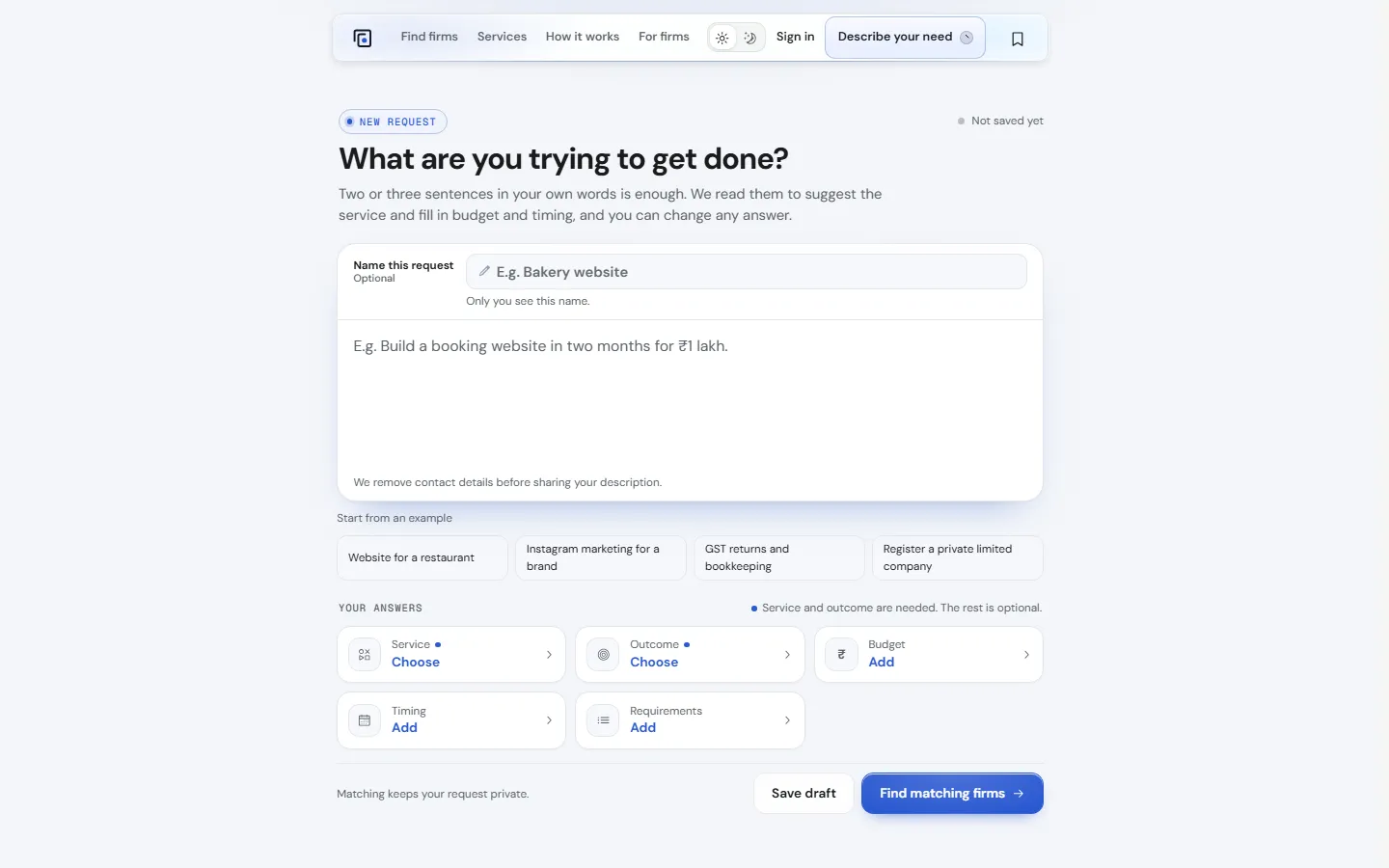
Open Describe your need and write two or three sentences. Firmaze reads them to suggest the service and fill in budget and timing; you can change every answer. Service and outcome are the only required parts. The rest is optional.
Tips for a request firms can act on
- Say what “done” looks like: “a booking page that works on a phone” beats “a website”.
- Mention anything that rules a firm out — a language, a regulation, a location.
- Use Not sure when you don’t know. Firms would rather see an honest unknown than a guess.
- Leave out phone numbers and emails. Firmaze removes contact details before sharing a description anyway.
You can preview matching firms before you sign in. Nothing is sent to a firm until you review your request and choose to invite or publish it.
2. Read the matches — and the reasons
Each match shows why that firm fits your request. Open a profile to see the detail. The panel at the top tells you what Firmaze has checked and what is the firm’s own account, so you never have to guess which is which.
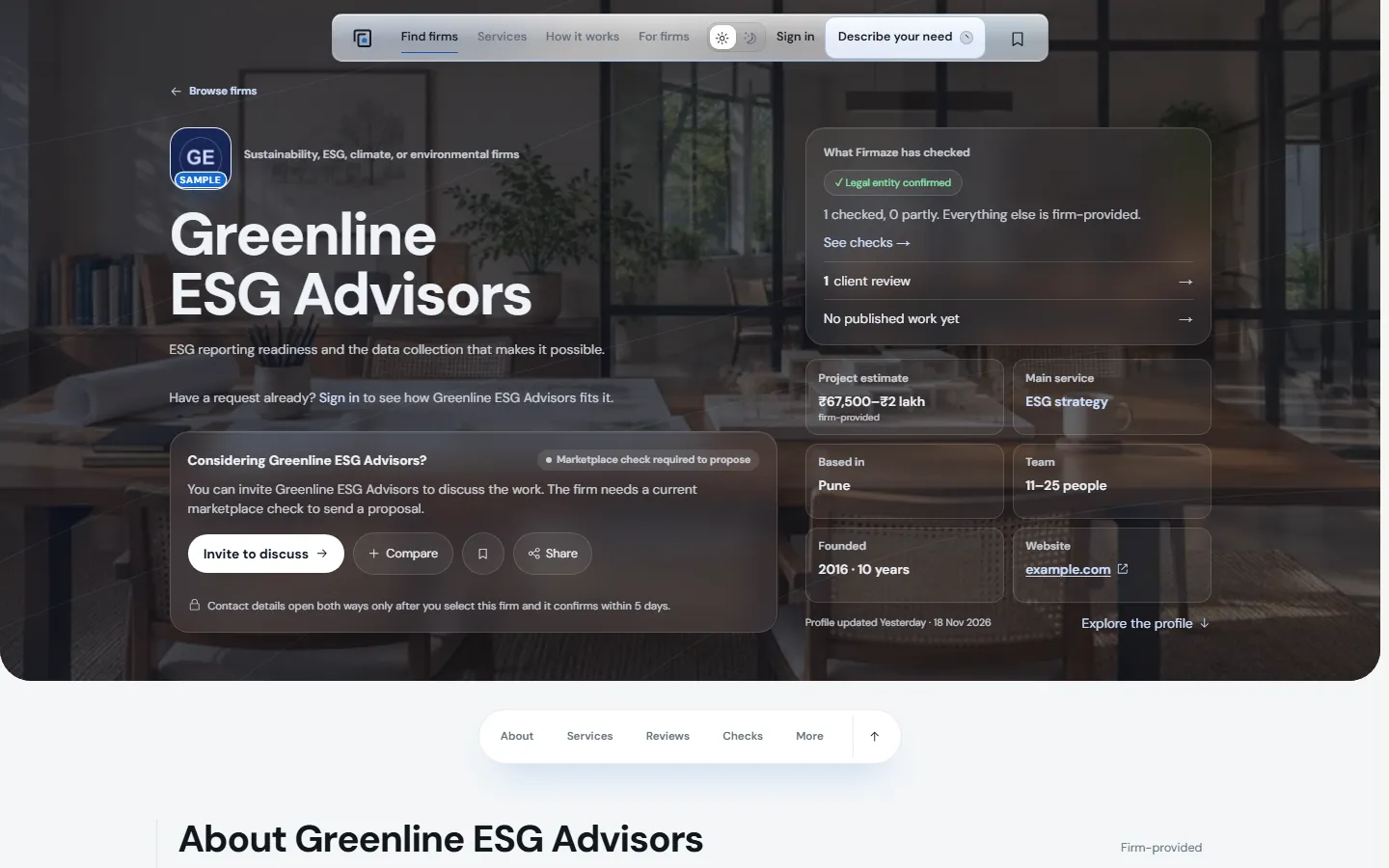
What to look for on a profile
- Checks — each one names a single claim and its date. A missing check is unknown, not a red flag.
- Project estimate — firm-provided, so treat it as a starting point for the conversation.
- Case stories and client reviews — useful context on past work, but neither is a quality score.
- Fit — services, locations and team size that match the size of your work.
3. Invite firms to discuss
Invite the firms you would genuinely consider — up to ten per request. Fewer, better invitations get better replies. A firm can accept and ask questions straight away; to send a proposal it also needs a live listing and a current marketplace check.
4. Keep everything in one workspace
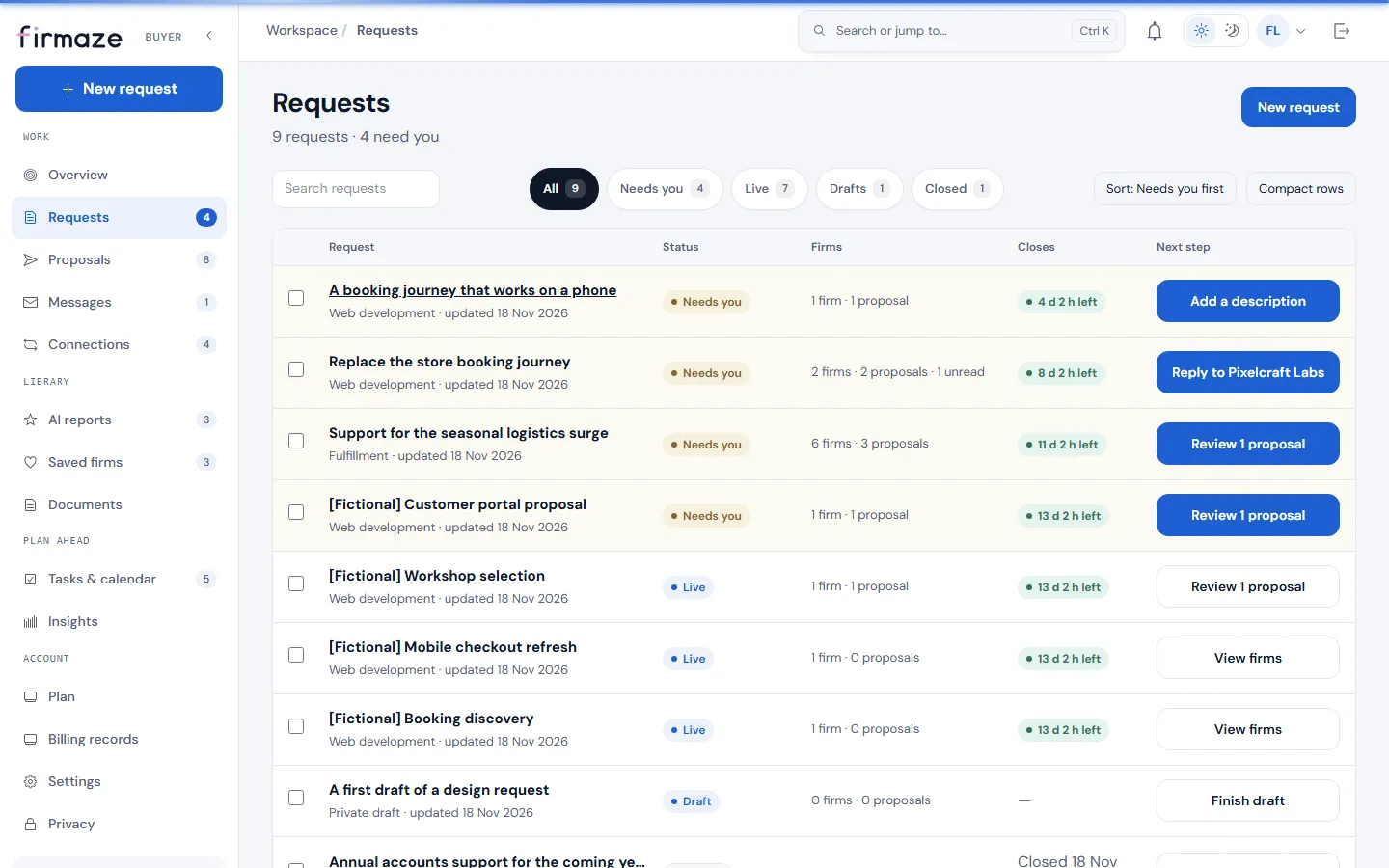
Once you sign in, your requests live in your buyer workspace. Each one shows its status, how many firms are involved, when it closes and — most usefully — what needs you next.
5. Compare proposals like with like
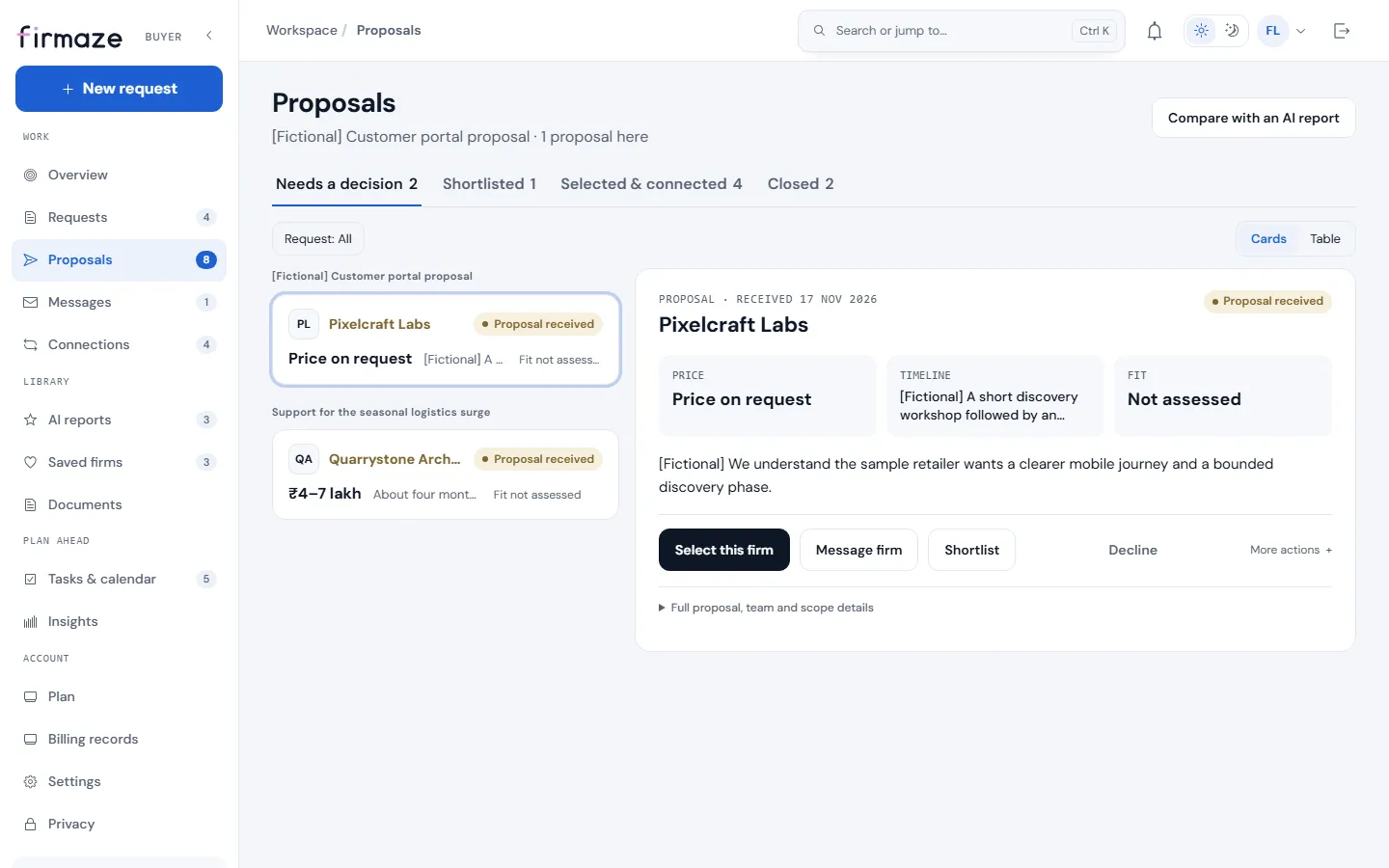
Proposals arrive in one structured format: price, timeline, fit and the details behind them. Sort them into Needs a decision, Shortlisted and the rest, message a firm with a question, or decline politely in a click.
Want help reading them? An AI Report compares the firms or proposals you choose and cites where each point comes from. It can be wrong and it never ranks firms for you — treat it as a well-organised second read, not a verdict.
6. Select one firm and connect
When you are ready, select one firm. The firm then has five days to confirm. When it confirms, contact details open both ways and you carry on directly. If it does not answer in time, the selection expires and you can select that firm again or choose someone else.
You never pay a connection fee.
A checklist for a good decision
- The request says what “done” looks like.
- You invited firms whose reasons to match actually fit your work.
- You read what was checked — and noticed what was not.
- You compared at least two proposals in the same format.
- You asked the questions that would change your mind before selecting.
Ready? Describe your need and see who fits — no account needed to look around.